
Configure your website’s PHP version in Plesk with a few clicks: Log in to your Eggplant…
Configure your website’s PHP version in Plesk with a few clicks:
- Log in to your Eggplant Customer Account
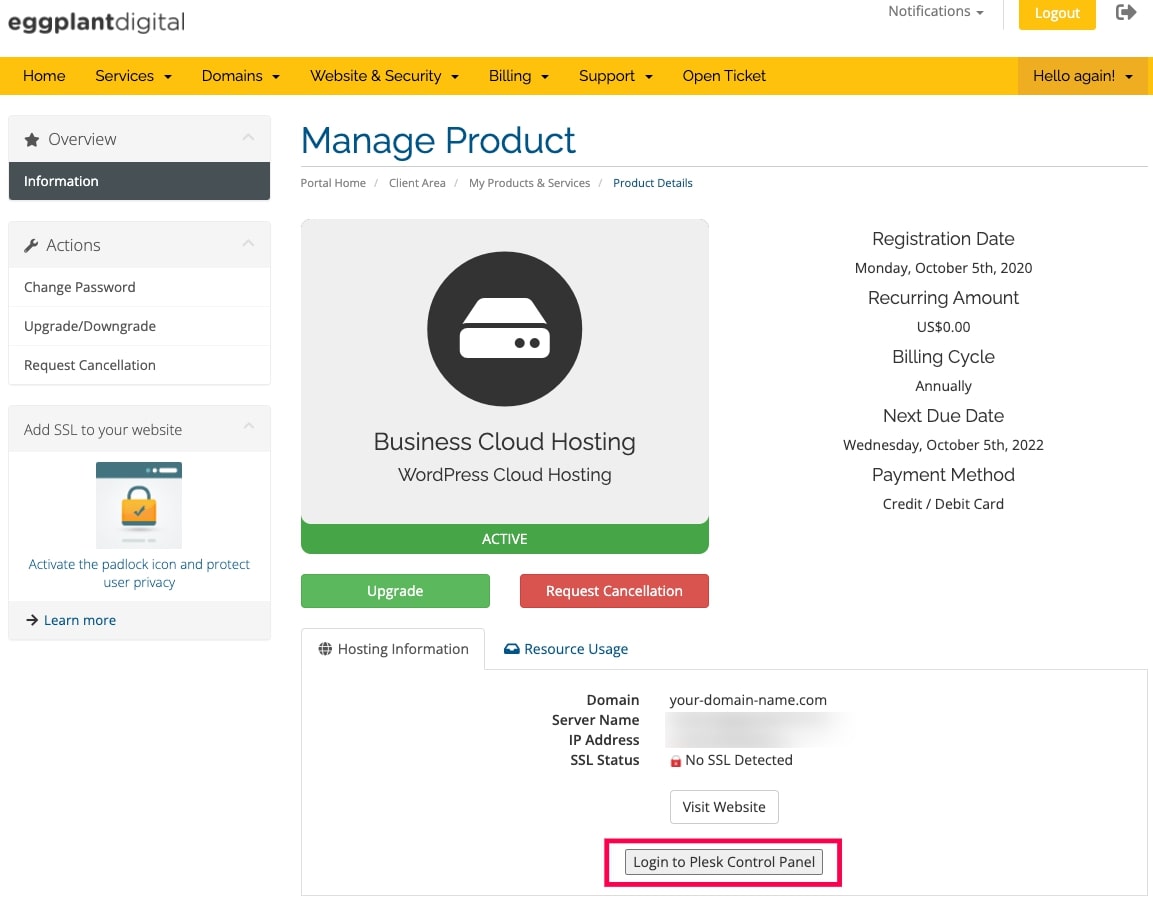
- Click and select the cloud hosting service you want to configure the PHP version for.


- Click Login to Plesk Control Panel.

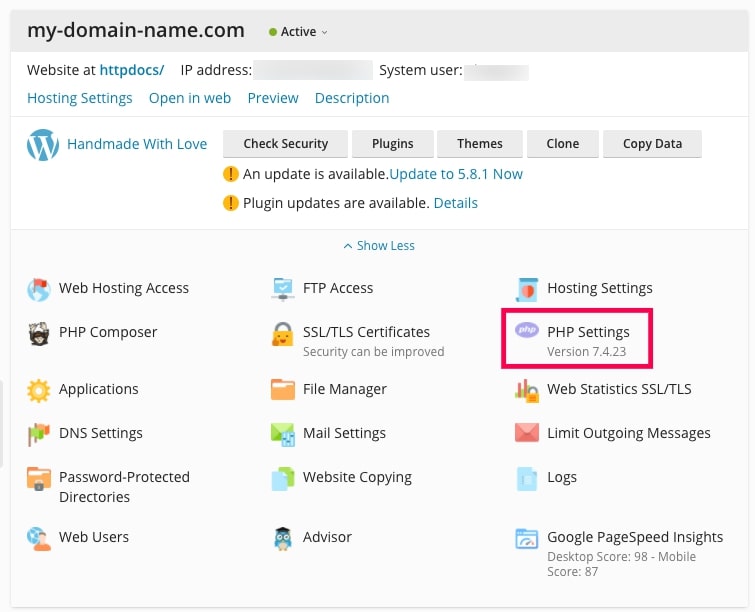
- Click PHP Settings

- Click and select the desired PHP version from the dropdown options on PHP support.
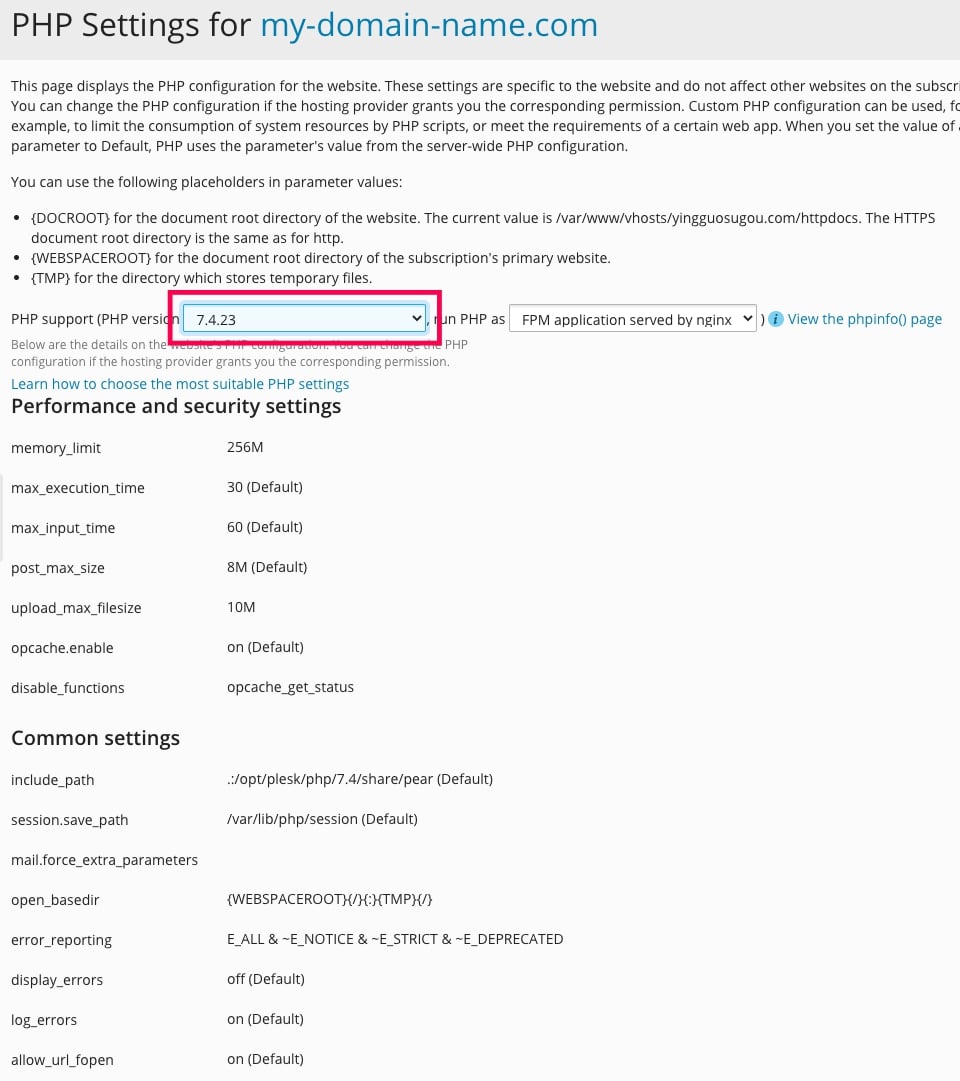

- Scroll down to the bottom and click OK